Let’s talk
Book a call with our team today!

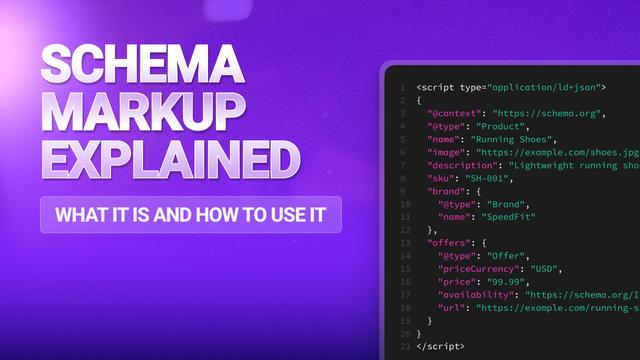
Schema Markup Explained: What It Is and How to Use It
Schema Markup sounds way more technical than it needs to be. But used right, it’s like giving Google a cheat sheet for your website.
Here’s the score - Schema is basically extra code you add to your site to explain what your content is actually about. Like little labels that say:
- “This is a product and here’s the price,”
- “This is an article and here’s the author,”
- “This bit is an FAQ section,”
- ...and so on.
And while it doesn’t guarantee anything, it can help your content show up with fancy extras in Google search… and as you’ve probably seen, it can include those results that have star ratings, images, FAQs that expand, event info, all the good stuff. That’s thanks to Schema doing its thing.
Common Schema Types
These are the schema types you should actually care about.
You’ve got article schema. This helps Google understand your blogs and news posts. It can pull through author names, dates, even thumbnails in search.
- Product schema. A game-changer for ecom. Get prices, stock status, and reviews showing directly on the results page.
- Local Business schema. Major for local SEO. Making sure your opening hours, address, and phone number show up clean and clear.
- FAQ schema. If you’ve got a FAQ section, marking it up can get those questions directly into Google search as expandable boxes - that’s a major space grab.
Implementation Best Practices
Only mark up stuff that’s actually visible on the page. Don’t try and game the system by sneaking in fake info - Google will catch you.
Use Google’s Rich Results Test before you go live. It shows you how your markup might look in the search results — and flags any issues. If you’re not a dev, use a reliable plugin. Don’t pick one that bloats your site or exports messy code. You want a clean, lightweight schema.
Let’s talk
Book a call with our team today!