Let’s talk
Book a call with our team today!

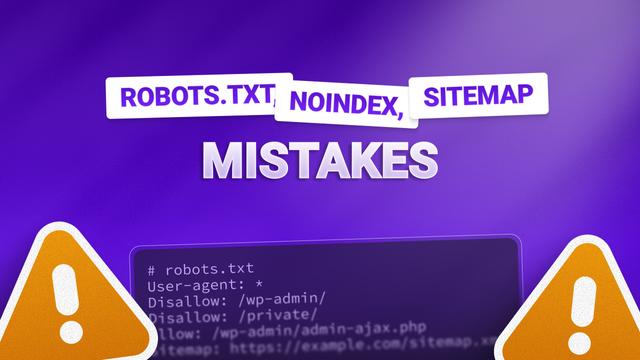
Robots.txt, Noindex, and Sitemap Mistakes
I see people make this SEO mistake all the time. It’s critical - it’s the way you tell Google which pages it should crawl and which ones it should show in search results.
It’s one of those things that sounds boring… until the wrong setting tanks your traffic overnight.
There are three main tools at play here:
- Robots.txt, this tells Google which pages it’s allowed to look at.
- noindex tells Google not to show certain pages in search.
- Sitemaps gives Google a clear list of the pages you want it to find and index
Each one plays a different role, and mixing them up is where things go sideways.
Robots.txt Common Errors
Think of robots.txt as a bouncer. It says which parts of your site Google is allowed to enter.
But here’s the problem: just because a page is blocked in robots.txt doesn’t mean it won’t end up in search. Although Google can’t crawl the page, it can still index blocked pages - it just can’t see what’s on them. So instead of a nice listing, you might get a vague result that affects your scoring.
Some sites accidentally block entire folders like /blog/ or /products/ without realising they’ve just told Google to ignore everything in there, meaning it won’t show on any results pages.
And the biggest mistake? Blocking JavaScript or CSS files. Google needs those to actually see your site properly.
Noindex Tag Mistakes
The noindex tag is you telling Google not to show a specific page in search.
Making it great for thank-you pages or internal search results, but not so great when someone accidentally adds it to a key service page or top-performing blog post.
Another classic error? Confusing noindex with robots.txt. They’re not the same. One says, “Don’t look,” and the other says, “Don’t show.” Big difference.
Let’s talk
Book a call with our team today!